

Online Food System for Restaurant
Take orders online,on your own website.
Online ordering for restaurants in New Zealand
Take pickup and delivery orders, accept table bookings, print orders to the kitchen automatically and let customers order from a QR code or Facebook — all on your own domain.
How it works
Start taking orders in three steps
-
1
Add your menu
Enter your dishes, prices, photos and categories, then set opening hours and delivery rules.
-
2
Connect with customers
Link your own domain, put QR codes on tables, or add an order button to Facebook.
-
3
Receive and print
Orders arrive on your iPad or Android device and print in the kitchen automatically.
Features
Everything your restaurant needs, in one system
From taking orders and bookings to printing tickets in the kitchen — built for restaurants.

-
01
Pickup
Order for collection directly in-store, either due immediately or at a later time.
-
02
Delivery
Order delivery to a specific address within your pre-configured rules and zones, with a "No Contact Delivery" option.
-
03
Reservation
Request a table booking at a later date, with e-mail confirmations to keep customers updated.
-
04
Automated Order Printing
Automatically print customisable receipts on demand to any number of printers on Windows, Linux or Android devices.
-
05
QR Code & Facebook
Customers can order by scanning a QR code, or add a Buy Now button to your Facebook page.
-
06
Landing Page Generator
Create your own mobile-friendly landing page and ordering website with your story, photo gallery, store locations and contact form.
-
07
Your Own Domain Name
Connect your own domain name to your ordering or landing website. We generate and manage a free SSL certificate for you.
The Experience
What your customers see
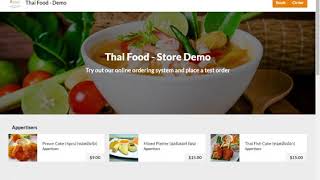
An ordering page that works on phones, tablets and computers. Place a test order in our demo store, the same way your customers would.


- Photo menus, neatly organised
- Book a table or order in one tap
- Multi-language menus
Tutorials
Video guides
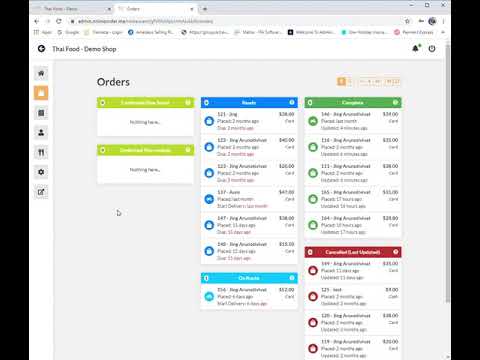
Step-by-step videos take you from the introduction all the way to setting up your payment gateway.



Resources
Brochures & software
System brochure
Download a one-page infographic overview of the system, in Thai or English.
FAQ
Common questions
Another question? Contact usCan I use my own domain name?
Yes. Your ordering page or landing page can run on your own domain, and we set up a free SSL certificate for it.
What printers does it work with?
Orders can print from Windows, Linux or Android devices, to as many printers as you need. Push Printer and the printer driver are available to download on this page.
Can customers book tables too?
Yes. Customers request a booking, you confirm it in the system, and they receive an email confirmation.
Can I limit where I deliver?
Yes. You set your own delivery zones and rules, and can offer "No Contact Delivery".
Will someone help me set it up?
There are seven video guides on this page, and our team can help you remotely using Remote Desktop.

Ready to take orders online?
Try the demo website, or sign in to manage your restaurant.